Mobile apps, POS, online shops, AI assistants, dashboards and smart buildings, tailor-made in Mauritius. From a low monthly cost, no big upfront.
Show apps for
01/16
Scroll to explore
Every app type we build
01Sell & serveApps your customers touch.
02Run the dayApps your team works in.
03See & connectYour numbers and systems, joined up.
04Smart spacesBuildings and land that respond on their own.
01Sell & serve
Mobile apps for Android & iOS
An app that carries your name, not a marketplace’s.
Customer, booking and loyalty apps, or tools for your staff. Built once and shipped to both stores, or installed directly as an Android APK, with AI where it saves real time.
Google Play and App Store publishing
AI-powered Android APKs
Works offline, syncs later
Your brand, your data
For Retail · Hospitality · F&B · Healthcare · Education · Professional services
Customers browse, tap order, and it lands in your WhatsApp.
A fast online catalogue of your products. Orders go straight to your WhatsApp and into one tidy list, so nothing is lost in the chats and every rider gets the right address.
Fast, mobile-first websites with WhatsApp, maps and enquiries built in.
Tailor-made websites for your business, with WhatsApp contact, Google Maps location, booking or enquiry forms, and fast, secure local + Cloudflare hosting.
Mobile-first, fast-loading pages
WhatsApp and enquiry forms
Google Maps integration
Listings and lead capture
For Retail · Hospitality · Healthcare · F&B · Professional services · Real estate · Education
Bookings straight from WhatsApp. Every slot and room, live.
Appointments, tables, rooms or classes booked online or on WhatsApp, with automatic reminders, customer history and one live calendar your whole team shares.
Bookings straight from WhatsApp
Automatic reminders
Every room’s status, live
Customer history in one place
For Hospitality · Healthcare · F&B · Professional services · Education
Customers get answers on WhatsApp, in English, French or Kreol.
An AI receptionist that answers, books and routes enquiries on WhatsApp, plus private assistants that answer from your own documents, with a human in the loop where it matters.
English, French and Kreol replies
Bookings and orders from chat
Answers cited from your documents
Hands over to a person
For Hospitality · Retail · F&B · Healthcare · Professional services · Real estate · Education · Enterprise
Every job assigned. Every rider sent to the right door.
Driver and dispatch apps with Google Maps routes, job assignment, proof of delivery by photo and signature, and live status for the office, built to work where signal doesn’t.
Checklists, stock counts and site reports on the phone, not paper.
Internal tools that replace the shared spreadsheet: inspection checklists, maintenance logs, stock counts and site reports, with photo, GPS and signature capture, built to work where signal doesn’t.
Checklists with photo evidence
GPS and signature capture
Maintenance logs and reminders
Reports filed automatically
For Enterprise · F&B · Hospitality · Logistics · Agriculture · Real estate
Forms, sign-offs and approvals in one tap. No more printing.
Digital forms, e-signatures and approval flows replace printing, chasing and retyping. Data is entered once, then routed, filed and followed up automatically, triggered by email, form or schedule.
Approvals in one tap
Work orders, zero paper
E-signature on every document
Data entered once, filed automatically
For Enterprise · Professional services · Real estate · Logistics · Healthcare
School news, attendance and messages, straight to parents’ phones.
A branded app for your school: announcements, attendance, homework, events and direct messages between teachers and parents, with access set by role for staff and families.
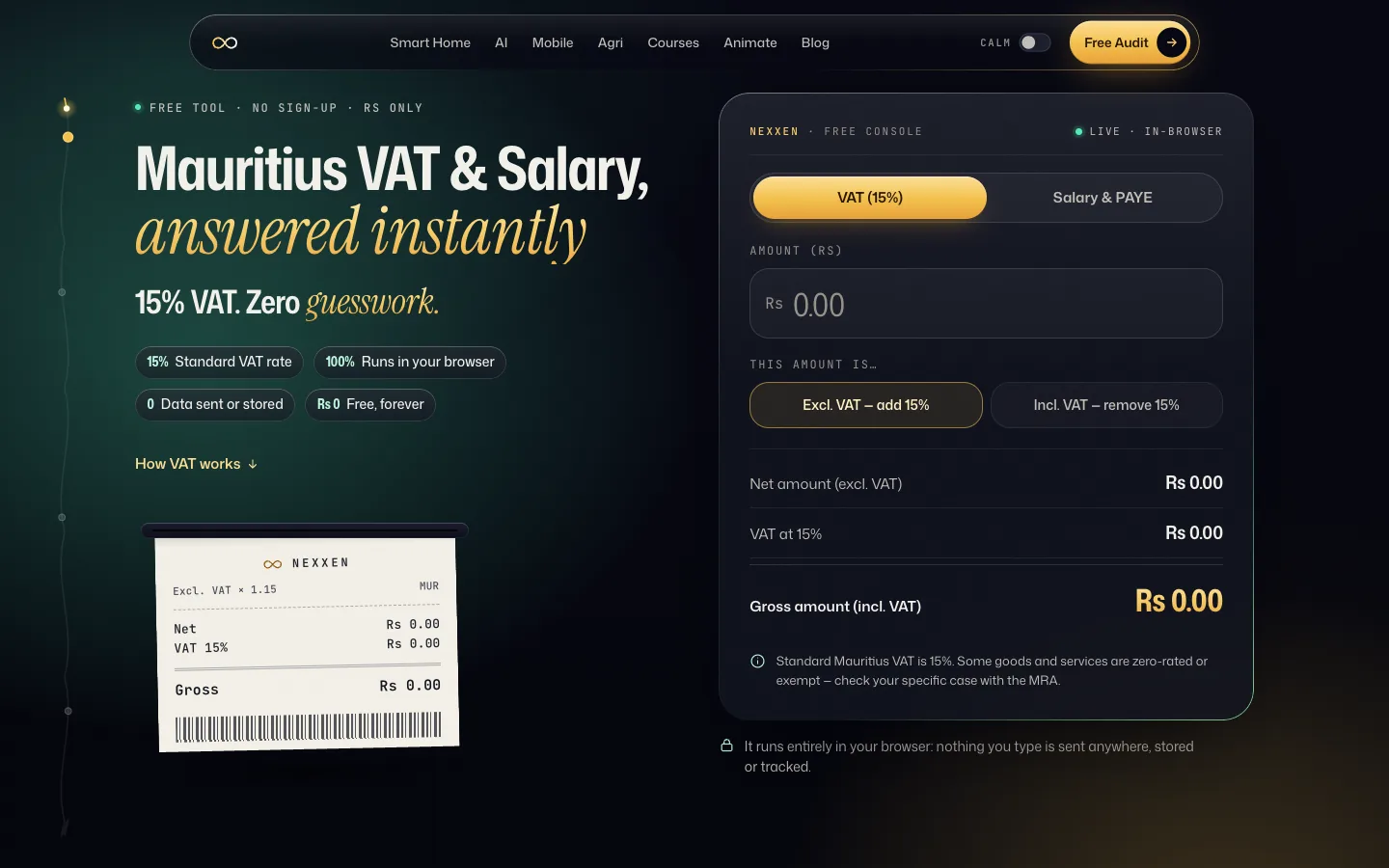
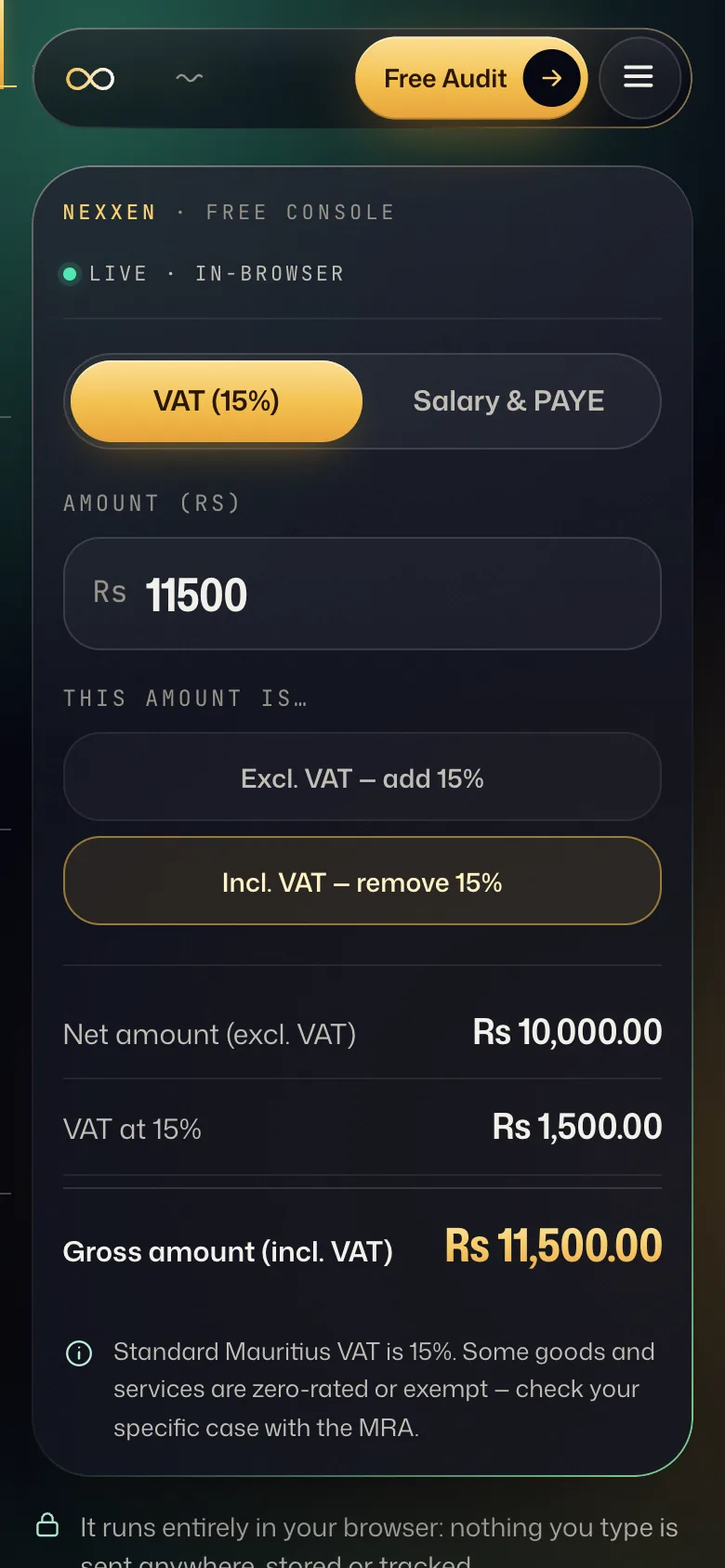
Correct invoices in one tap, and VAT compiled as you go.
Branded quotes and invoices with VAT applied per line, sent by WhatsApp or email, with paid and unpaid tracking, payslips, and secure client portals where customers find their documents.
VAT applied per line
Send by WhatsApp or email
VAT figures, ready for your return
Secure client portals
For Professional services · Real estate · Retail · Enterprise
Sales, stock and cash on one live screen, pulled from the systems you already use, with AI insight on what changed and weekly reports that reach the right people.
Your systems talk to each other. You stop being the glue.
ERP and API integrations with clean data pipelines instead of brittle exports: sales, stock, accounting and suppliers flowing into one connected source of truth, without replacing what already works.
ERP and API integrations
One connected source of truth
No rip-and-replace
Access control and backups
For Enterprise · Retail · Logistics · F&B · Professional services
Lighting, climate, energy and access that respond on their own.
Local-first automation on Home Assistant, Zigbee, MQTT and Matter: scenes, cooling schedules, energy monitoring per circuit, door access and cameras on one dashboard, from a private villa to a commercial floor.
Runs locally, internet optional
Energy monitoring per circuit
Access, security & occupancy
Smart panels & circuits
For Hospitality · Retail · Healthcare · Real estate · Enterprise
A farm that senses, waters and reports on its own.
Soil, climate and water sensors linked to irrigation, fertigation and greenhouse controls, with a live dashboard and WhatsApp alerts the moment a reading crosses your threshold.
Ring it up. MRA registers it. Your customer scans it.
AI-visualised · Example UI
A short AI-visualised film: a hardware-shop till rings up a sale, the invoice is sent to MRA and registered, and the receipt prints with its QR code. The receipt shown is an example with no real names or amounts.
A tailor-made point of sale for hardware shops. It handles barcode checkout, trade accounts, quotes and live stock, and it is built around MRA’s e-invoicing rules. Every receipt carries its MRA QR code, and your VAT figures are ready when the return is due.
01
Scan. Sell. Fiscalised.
Each sale goes to MRA’s e-invoicing platform as it happens, and comes back with the QR code your customer can scan.
02
Trade accounts, B2B-ready.
Contractors and companies are saved with their BRN and VAT number, so every B2B invoice carries the buyer details MRA asks for.
03
Quotes that become invoices.
Price a whole renovation as a quote, then turn it into a fiscal invoice in one tap when the customer says yes.
04
Returns with a paper trail.
Every refund becomes a credit note, linked to the original sale and stamped with its reason.
05
Keeps selling offline.
If the line drops, receipts keep their sequence and go to MRA automatically when you’re back online.
06
Stock that warns you first.
Cement, paint bases and fast movers raise an alert before they run out, with the supplier order already drafted.
07
VAT figures, ready for your return.
Output VAT by tax code, credit notes and supplier VAT, summed for each period, plus the VAT Annex file for monthly filers.
08
Built to resist tampering.
Counters that can’t be reset, chained invoice hashes, staff logins by role, and a safe training mode for new cashiers.
How an invoice gets fiscalised
1
Ring it up.
The till builds the invoice in MRA’s standard format, sealed with its own counter and the fingerprint of the previous invoice.
2
Sent in real time.
It goes, encrypted, to MRA’s Invoice Fiscalisation Platform under that till’s own registered ID.
3
MRA registers it.
MRA records the sale and returns an Invoice Registration Number and a QR code.
4
Hand it over.
The receipt prints with the QR code. Your customer can scan it to check the sale was registered.
Ring it upSent in real timeMRA registers itHand it over
If the internet drops, sales keep their sequence and are sent to MRA automatically once you’re back online.
POS · Retail · Hardware
A day at the counter
01The contractor
Before
The cashier writes a docket by hand and copies the company name from memory. The BRN is missing.
After
The cashier picks the builder’s trade account. Legal name, BRN, VAT number and buyer type fill in by themselves, and the receipt prints with its QR code.
02The renovation quote
Before
The quote is handwritten. Three days later, nobody can find it.
After
The quote is built in the same screen and sent as a PDF or on WhatsApp. When the customer says yes, one tap turns it into a fiscal invoice with every line kept.
03The wrong tap
Before
Cash goes back from the drawer, nothing is written down, and the till is short at night.
After
Return, original receipt, line, reason. The system issues a credit note linked to the original invoice, fiscalised like any sale, and the stock goes back up.
04Out of cement
Before
The yard runs out of cement on a Friday afternoon. The supplier is called in a panic.
After
A low-stock alert fires first. The supplier order is already filled from the reorder levels, and the supplier’s invoice is recorded once.
05VAT time
Before
Evenings of re-typing sales and purchase totals for the accountant. Credit notes are forgotten.
After
The VAT summary shows output VAT by tax code, credit notes and input VAT for the period, ready for the owner or accountant to file on MRA e-Filing.
What doesn’t change: the owner still files the VAT return and pays MRA. The POS does not file for you and does not replace your accountant.
What you’ll need
Your Business Registration Number (BRN)
Your VAT registration number (the same as your TAN), if you are VAT-registered
Legal name, trade name and the address of each shop where a till will run
MRA’s notification letter on e-invoicing, if you have one (it gives your start date)
Your MRA online account, so you can register your business and each till on MRA’s e-Invoicing Portal. You do this yourself; we never ask for your password.
A list of tills and cashiers (counter numbers and cashier IDs print on receipts)
Your product list: barcodes, units (bag, litre, metre, piece) and the VAT treatment of each item
Trade customers: legal name, BRN, VAT number and address
Suppliers and their VAT numbers, for purchase invoices and input VAT
An opening stock count
A reliable internet connection (we recommend a mobile-data backup) and a receipt printer that can print the QR code
Your accountant’s contact, for the VAT return
Example 02Example build · Pre-primary schools
Tap in class. Smile at work.
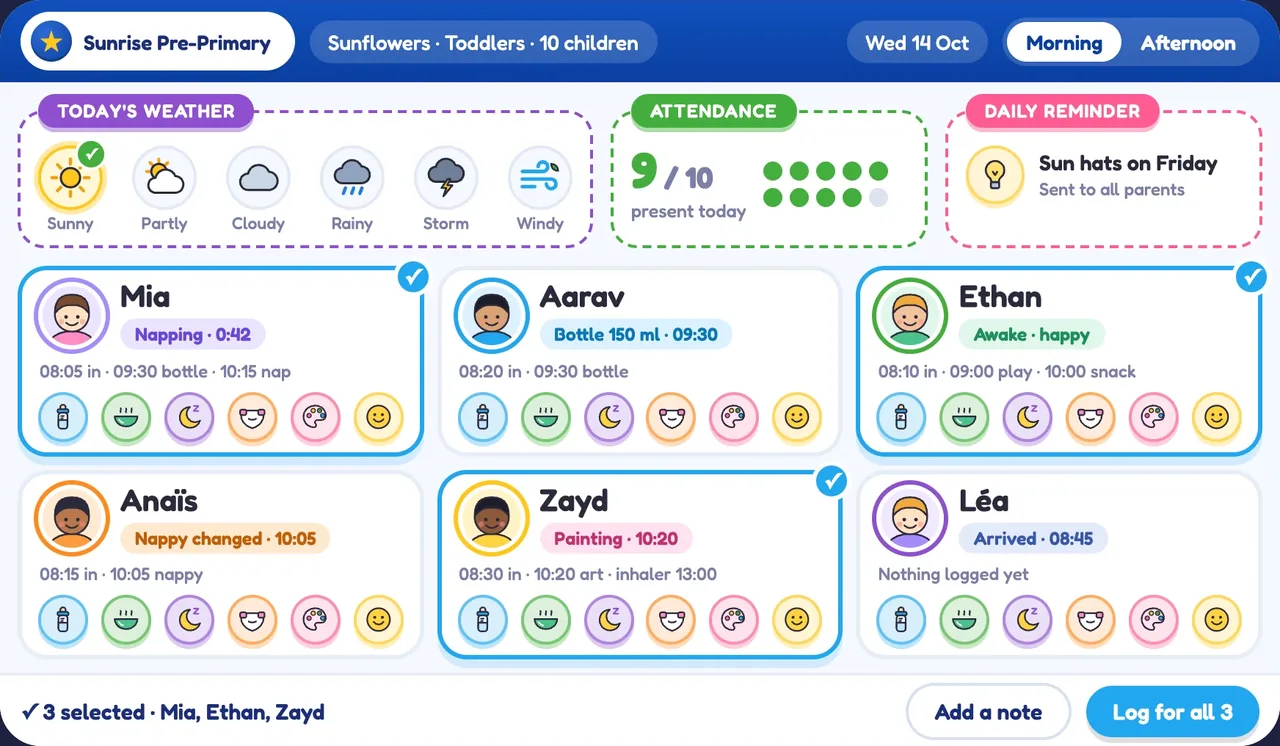
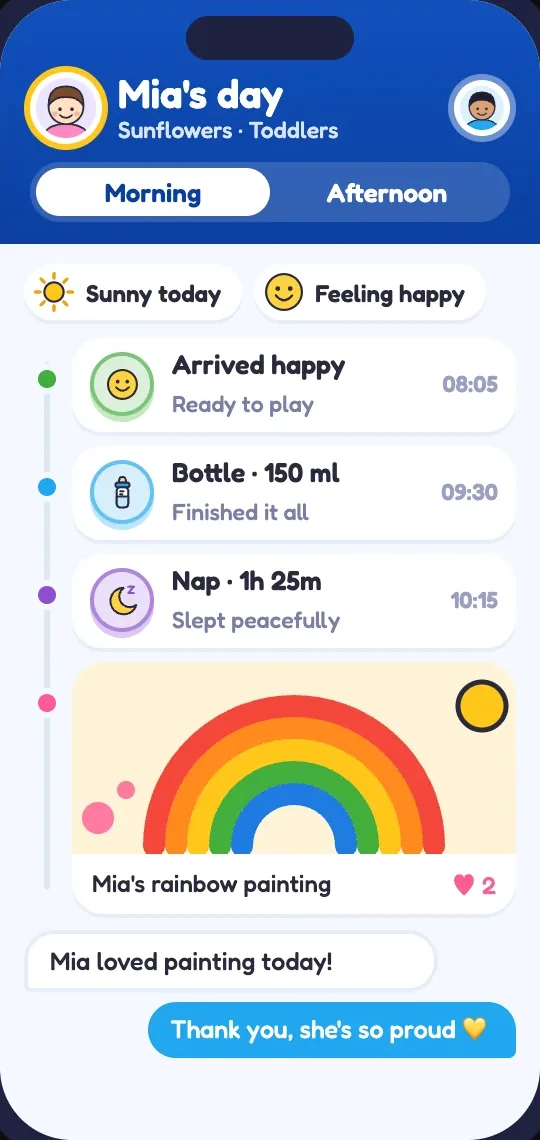
An example of what we build: a tailor-made app for a pre-primary school. Teachers log the day on a classroom tablet, parents follow it on their phones, and the head of school sees the whole school at a glance.
One moment. Three screens.
Art morning, seen three ways.
Example screens
Example screens
AI-visualised
1Teacher · classroom tablet
Tap. Shared.
She snaps the art morning, tags the children whose families said yes, and shares it with one tap.
2Parent · phone
Ping. Smile.
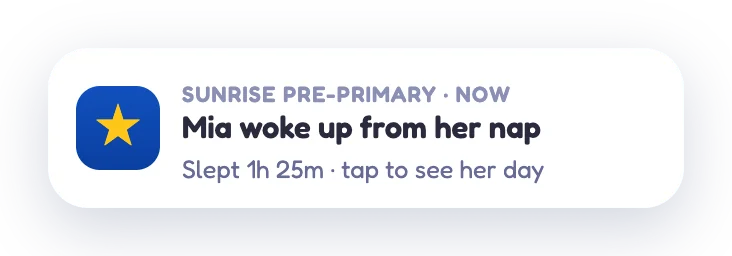
At work, a parent gets a gentle update and opens their child’s day.
3Head of school · tablet
Glance. Calm.
The head sees it land in today’s activity, beside every room’s attendance and anything that needs a look.
One calm channel instead of many chat groups, and each person sees only what’s theirs.
Teacher screen: a classroom tablet with the room’s children, today’s weather and a log-for-all button. Parent screen: a phone showing the child’s day with a painting photo. Head of school: an AI-visualised shot of the head reading her tablet.
01
Check-in in a tap
Mark who’s here with one tap, or the whole room at once. Parents report an absence from their phone.
02
A daily report that writes itself
Meals, naps and activities flow into one Morning and Afternoon report, sent after pick-up.
03
Meals, naps and moods
Log once for the whole room, then tap only the exceptions. Allergy badges stay in view.
04
Photos, with permission
Each family chooses if and how their child’s photos are shared. Location data is removed before upload.
05
News, events and messages
Private teacher–parent messages, school announcements, and events that arrive with a short animated teaser.
06
Incident notes, with care
Bumps and first aid recorded, shared with the family the same day and signed off. Other children are never named.
07
The head’s overview
Who’s in, each room against your ratio rule, and what needs attention, on one tablet screen.
08
Calm on cyclone days
Each family’s bad-weather plan on file, closure notices in English and French, and a clear list of who may collect whom.
A personal login for every teacher · English and French · Opens from a link, no app store needed